Founder of Voice Mate
Voicemail AI: Save Time and Boost Productivity
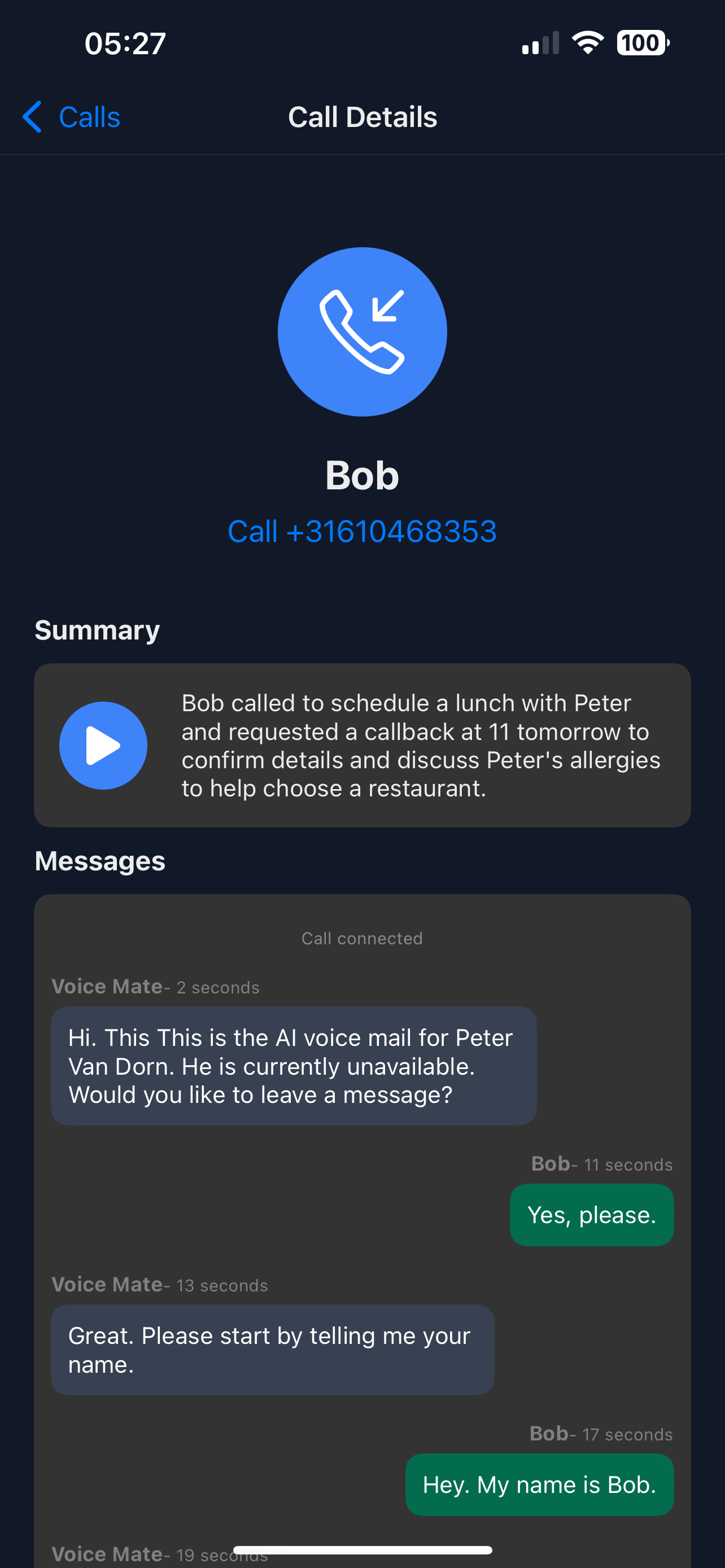
See how voicemail AI turns every missed call into a short summary you can act on, so you stop listening to voicemails and get on with your day.
Voice Mate transforms your voicemail into a smart productivity assistant. Each missed call is transcribed, analyzed, and categorized—so you know immediately if it requires urgent attention or can wait. AI insights help you focus on critical tasks without getting interrupted unnecessarily.

In this guide, we’ll show you how to set up AI voicemail features optimized for productivity. By the end, you'll have a system that handles calls automatically, prioritizes urgent messages, and keeps you focused on deep work.
Getting Started
Setup is easy: follow the steps below. You need the Voice Mate app on your phone.
Get the app
-
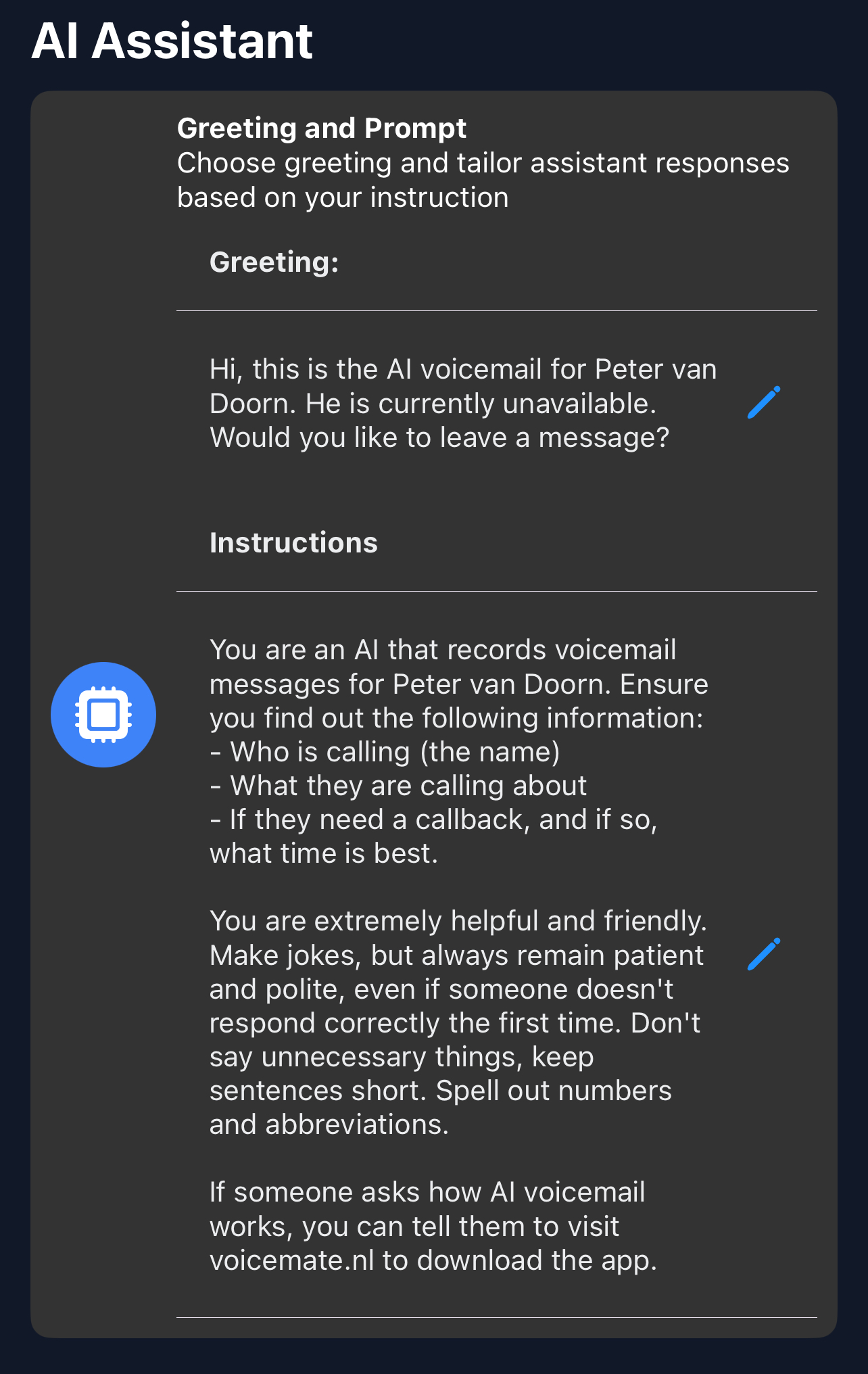
1. Write your personal greeting
Open Voice Mate, go to Settings and choose Greeting. Write a greeting; you can also give the AI instructions on how to handle different types of calls under AI prompt.
-
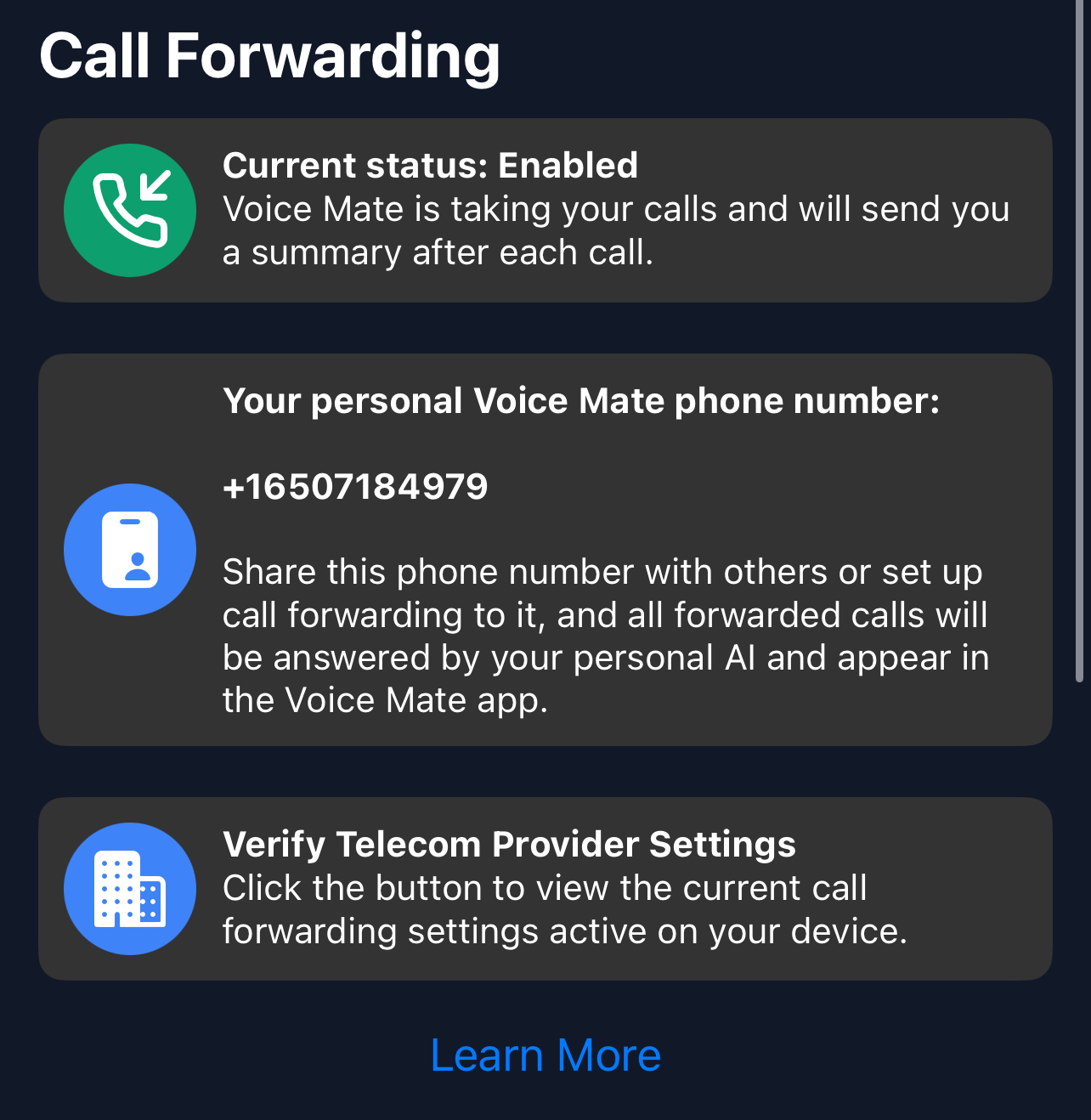
2. Set Call Forwarding
Enable call forwarding straight from the Voice Mate app by toggling the forwarding icon. This allows Voice Mate to answer calls on your behalf.
-
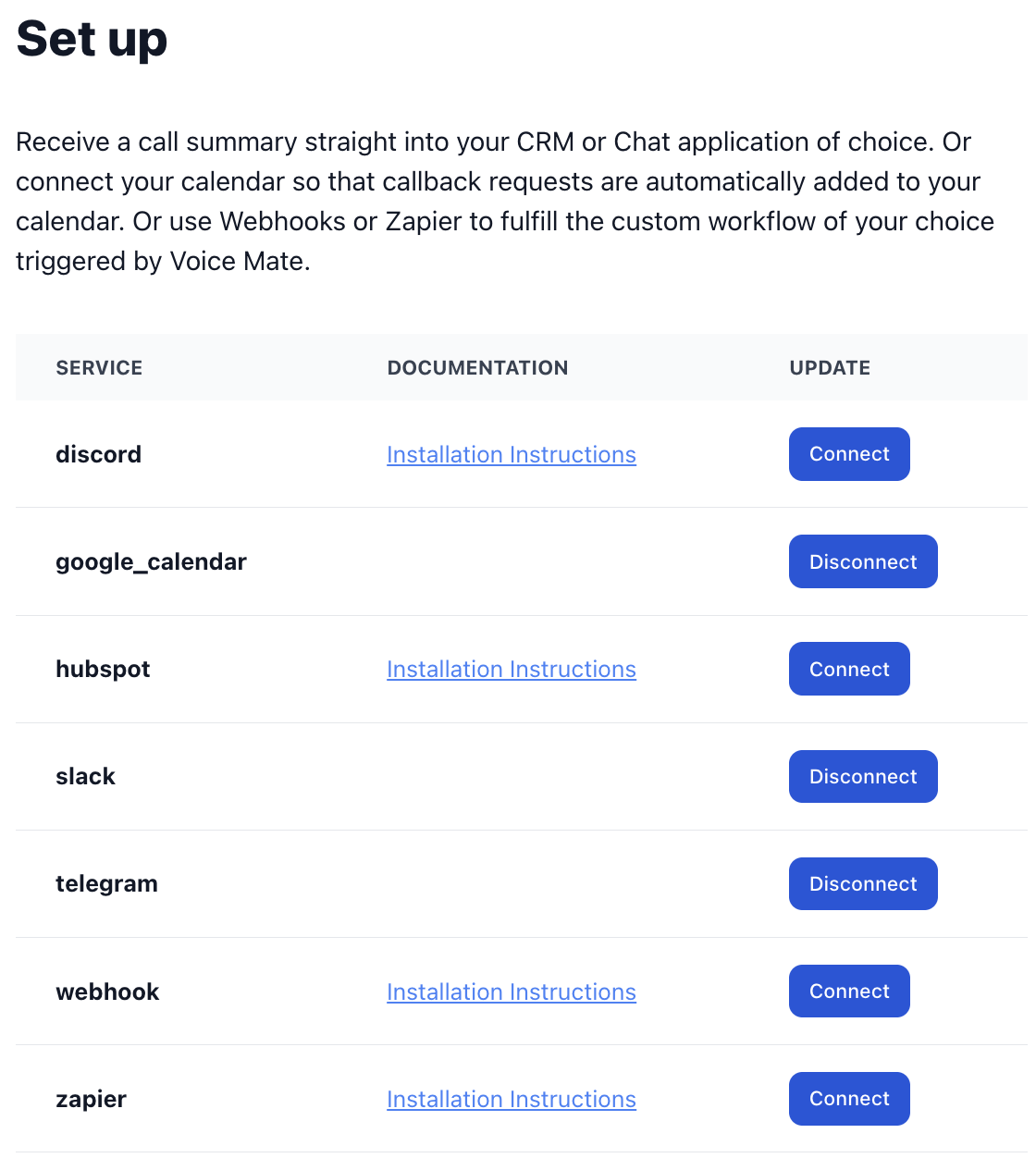
3. [Optional] Set up Integrations (Slack, HubSpot, Zapier, Google Calendar)
Receive notifications, create tasks automatically, and schedule callbacks seamlessly through your favorite tools.
-
4. Start Receiving Calls
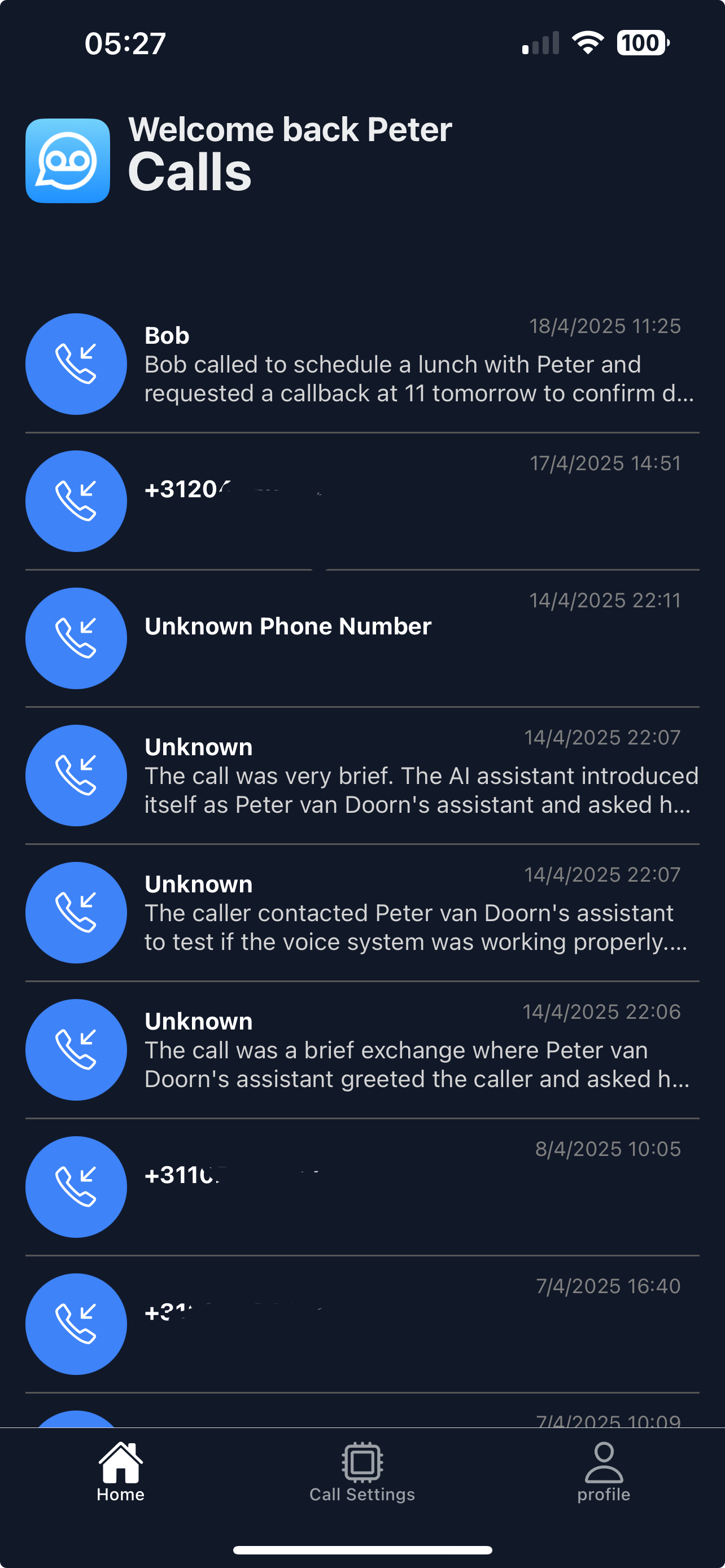
Once set up, Voice Mate begins handling your calls automatically, with push notifications and call logs available in the app.
-
5. Review the summaries and prioritize
Read the summaries, listen to recordings where needed, and act on the messages by urgency without breaking your focus.